* Gimlo v2.0 released on 07/07/2013
No new update expected before 09/2013, summer vacation requires

* Gimlo v1.3 released on 25/05/2013
* Gimlo v1.2 released on 11/05/2013
* Gimlo v1.1 released on 17/04/2013
* Gimlo v0.3 released on 19/02/2013
* Gimlo v0.2 released on 03/02/2013
* Gimlo v0.1 released on 29/01/2013
Any confused version, Gimlo (Rom) has been downloaded more than 3,000 times between January and June 2013.
About
Quote:
Gimlo is an all-in-one customizable rom for Xperia Tipo, Tipo Dual and Miro. It supports both locked and unlocked bootloaders, it also supports both custom and stock kernels. To be able to support all these devices, the rom was divide in two parts: Gimlo Firmware and Gimlo Rom.
The install process is based on the Aroma installer that provide a touch-based install wizard and more important, it will let you select which things you want to install... all choices are yours! So finally you will not get the Gimlo Rom but your rom, it could be a rom which contains a lot of features or a light and fast rom.
The size of the rom is slightly large as I am including many things but not all of them will be install, it will depend on your choices during the install process.
Features
Quote:
Based on the last Sony Official ICS 4.0.4 for your device
* Deodex
* Zipalign
* Recovery
* Root
* BusyBox
* Init.d support
* For both locked and unlocked bootloaders
* For both custom and stock kernels
* Bloatware free!
* Include the NXT stuff like framework, settings, small apps, magnification glass, bravia engine 2, ...
* You can include your own apk's files (applications), into the zip file of the rom, they will be automatically installed
* The install process is based on the Aroma installer that provide a touch-based install wizard
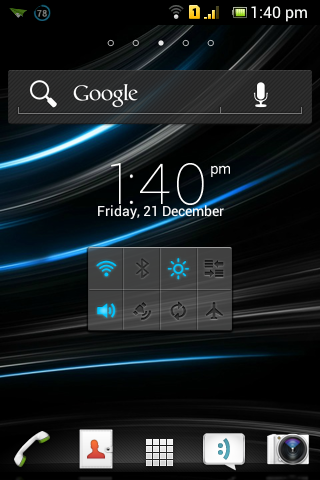
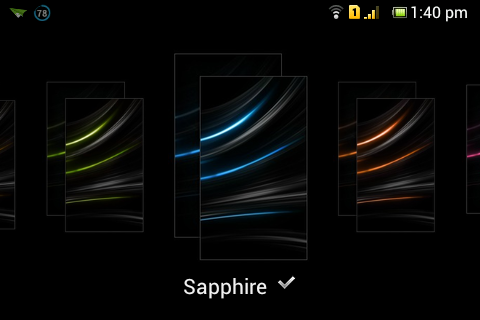
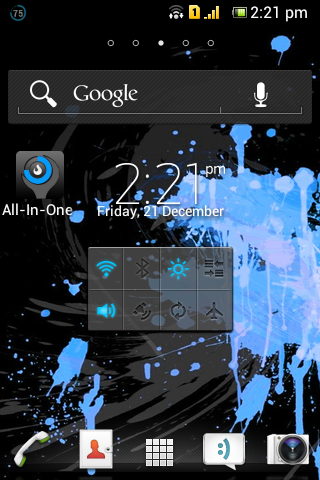
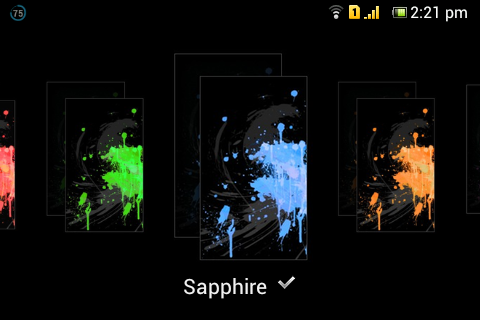
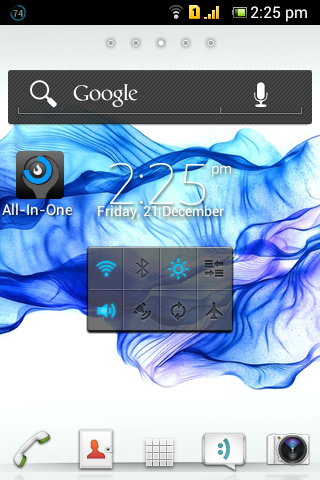
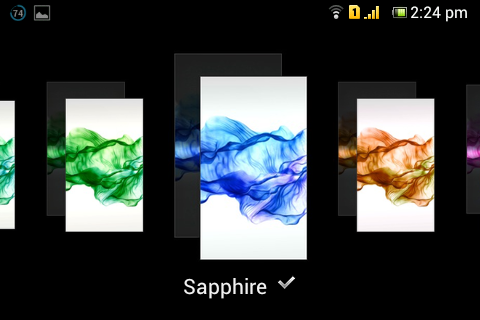
You have the possibility the choose between 5 themes, 6 launchers, 4 audio system, 3 cameras, 4 keyboards, 9 boot animations, 3 shutdown animations, 5 fonts, 9 status bar, 4 infinite view & many more... !
Requirement
Quote:
Nothing special... just have a Xperia Tipo, Tipo Dual or Miro.

* Stock or custom Kernel
* Locked or unlocked Bootloader
* A recovery system like CWM
Compatibility List
Quote:
Here is the compatibility list of all the features and apps for each device:
*
Gimlo v1.3 -
Gimlo v1.1 Please, check this table before to install the rom, to know if something could not work on your device.
And if you find an error in this table, please reply to this thread to give your feedback.
Feedback
Quote:
Your feedback are very important for me as I don't have a Xperia Tipo anymore, so I can't try the new versions of the rom myself.
So if you found something that don't work well, please post a reply and mention these information:
- The version of the Gimlo Stock Firmware that you use
- The version of the Gimlo Rom that you use
- Which Xperia device you've (tipo/miro, st21i/st21a, ...)
- And finally, explain your problem
How to install + Downloads + Changelog + FAQ
Screenshots + Install Wizard Preview + Credits
How to install
Quote:
* Please, make backups before to install this rom !
* Check the compatibility list to known if something could not work on your device (links are in the first post)
* Boot to recovery system (like CWM)
* Format system partition
(Run "mounts and storage" -> "format /system")
* Format data partition
(Run "wipe data/factory reset")
* Install, at first, the Gimlo Firmware (from Section A) corresponding to your device
(Run "install zip from sdcard" -> "choose zip from sdcard")
* Follow the touch-based install wizard
* Install, at second, the Gimlo Rom (from Section B)
(Run "install zip from sdcard" -> "choose zip from sdcard")
* Follow the touch-based install wizard
* Restart your phone
If you installed the NXT framework, then follow these additional steps
* Wait that your phone start completely. And don't try to configure anything or to do other things as the NXT framework is not yet available. Your phone will work fine but the install is not complete yet.
* Restart your phone.
* During the boot, a short time after the "Sony" logo, your phone will restart again automatically. Don't be afraid it's normal.
* That's all, just wait that your phone start completely.
If you don't want to use the Gimlo Rom but only the Sony Xperia Firmware, don't install the Gimlo Rom, just the Gimlo Firmware and then reboot.
The installation process could be more or less long depending on how many applications you will install. It could take between 2 and 5 minutes.
Tip if you got a bootloop during the initial boot
Quote:
* Do not install directly the Gimlo Rom after the Gimlo Firmware. Make a reboot between both of their installation. And after the restart, make a "wipe data/factory reset" again before to start the install of Gimlo Rom.
Important information about NXT framework
Quote:
* NXT framework is required by many mods so it's highly recommended to use it.
* You need the NXT lockscreen to use the NXT framework or you will get bootloop. So if you choose the NXT framework during the install process, don't forget to select the NXT lockscreen also.
* You need a compatible status bar to be able to use the Small Apps.
------
Here is a list of mods which require NXT framework:
* NXT lockscreen
* Cybershot camera
* Bravia Engine 2
* Xperia Z theme by djedjy
* Location Based Wifi
* Small Apps
Downloads - Section A - Gimlo Firmware
Xperia Tipo
Quote:
Gimlo Firmware v1.0 for Tipo :
http://d-h.st/9zA (Based on firmware 11.0.A.4.22 CE)
Xperia Tipo Dual
Quote:
Gimlo Firmware v0.3 for Tipo Dual :
http://d-h.st/AJo (Based on firmware 11.0.A.6.8 CE)
Xperia Miro
Quote:
Gimlo Firmware v1.0 for Miro :
http://d-h.st/EFi (Based on firmware 11.0.A.5.5 Generic)
Downloads - Section B - Gimlo Rom
Quote:
Gimlo Rom v2.0 for Tipo, Tipo Dual and Miro :
http://d-h.st/KIQ (
mirror)
Older ones
Gimlo v1.3b :
http://d-h.st/sIh Gimlo v1.2 :
http://d-h.st/6hV Gimlo v1.1 :
http://d-h.st/jtj Gimlo v0.3 (Tipo only) :
http://d-h.st/DJo Gimlo v0.2 (Tipo only) :
http://d-h.st/PdA Gimlo v0.2 (Miro only, port by Option58) :
http://d-h.st/HWW Gimlo v0.1 (Tipo only) :
http://d-h.st/qy7 Changelog
Quote:
# Gimlo - 2.0
- Update install process
- Add Rosemary font
- Add XDA app
- Add Seeder app
- Add Viper Audio Effect by zhuhang
- Add Sony Make.Believe boot animation
- Add Sony Make.Believe shutdown animation
- Add Social Life by ic3tea
- Add AnTuTu
- Add Walkman from Xperia Go by djedjy
- Add Gallery from Xperia Z by Pandemic
- Add Gallery from Xperia Z by DavidMKD
- Add Gallery from Xperia V by Aeron Sagar
- Add Video from Xperia V by Aeron Sagar
- Add JB Messagery by edzacruz95
- Add JB Messagery by Aeron Sagar
- Add JB Sound pack
- Add NXT framework by djedjy
- Add NXT settings by djedjy
- Add Bravia Engine 2 by djedjy
- Add Magnification Glass by djedjy
- Add Location Based Wifi by djedjy
- Add Cybershot by djedjy
- Add Small Apps by djedjy
- Add Lockscreen from Jelly Bean by Pranav Pandey
- Add Keyboard from Xperia Z by Rizal Lovins
- Add Power Saver to the list of stock apps
- Add Launcher from Xperia Z by Aeron sagar & edzacruz95
- Add Launcher from Xperia T
- Add Launcher Xperia GX by serajr
- Add Xperia Z theme by djedjy
- Add emoji font
- Add MultiLing Keyboard and necessary Emoji packages
- Add Nexus camera by Abhinandh Ajay
- Update Feel The Music
- Replace device hostname
- Replace TV-Out shutdown animation by a version with sound
- Replace Dancing Droid boot anim by Nexus boot anim
- Update all the extra apps
- Remove Infinite view InfiniteX1
Older ones
# Gimlo - 1.3b
- Fix the install process
# Gimlo - 1.3
- Add compatibility with firmware 11.0.A.5.8 for Miro
- Restore stock Browser
- Remove Location Based Wifi app
# Gimlo - 1.2
- Add InfiniteX1 and InfiniteX2
- Add Feel The Music
- Add Boost My Xperia v2.0
- Add Dual Sim status bar
- Add Tab'n'Grid status bar
- Add TV-Out shutdown animation
- Add Walkman theme
- Add Orochi theme
- Update CWM for Tipo
- Update Google Play to 4.0.27
- Replace Xperia ICS bootanim by Xperia Z bootanim
- Replace Xperia Z theme by SpenziN theme
- Remove NXT and Xperia Z lockscreens
- Remove Gradient Overlay infinite view
- Remove AC!D Audio Engine v7.0
- Remove Zoldick lockscreen
# Gimlo - 1.1
- Add compatibility with firmware 11.0.A.4.27 for Tipo Single Sim
# Gimlo - 1.0
- Introduce compatibility with multiple devices
- Fix AOSP Keyboard
- Fix Nexus camera
- Fix new lockscreens
- Fix SuperSU
- Remove Busybox auto-install
- Add BusyBox Free v9.2 as a selectable app
- Update Google Play Store to v3.10.14
- Update QuickPic to v2.9.3
- Update Firefox to v19.0
- Update GO SMS Pro to v4.75
- Update LiveWare Manager
- New default sounds (ringtones, notifs, ...)
- Restore more stock apps
- Add stock Notes app
- Add stock Photo Slideshow app
- Add stock Location Based Wifi app
- Add stock My Xperia app
- Add SE Panorama app
- Add SE Xperia Function Tester app
- Add Root Browser Lite v2.1.5
- Add AC!D Audio Engine v7.0
- Add Tab'n'Grid status bar
- Add Chrome White status bar
- Add Xperia Z theme
# Gimlo - 0.3
- New install wizard
- Restore all stock apps
- Add MiUI Player
- Add Chrome
- Add ES File Explorer
- Add SuperSU
- Add TWRP
- New modded InfiniteView
- New LockScreens
- New Status Bar
- Update CWM to v6
- Fix multimedia volume
# Gimlo - 0.2
- Improve protection system and add the possibility to bypass it
- New lockscreen
- New fonts
- New launchers
- New status bar
- New camera
- New clock
- New keyboard
- Restore stock gallery
- Restore stock walkman
- Restore stock music effects
# Gimlo - 0.1
- First release based on stock firmware 11.0.A.4.22
FAQ
Quote:
* To upgrade from a previous version to a new one, can I just install the new version over the older one or I have to make a fresh install?
....It's recommended to make a fresh install !
* I already have the last version of the rom but I would like to try different options, can I reinstall the rom directly?
....No, you've to make a fresh install again.
* How can I make a safe upgrade, without loosing data and with good backups?
....As you know, it's better to make a fresh install again. So, here's what you can do to make your upgrade without loosing anything! At first, you can make a complete backup of your phone using the backup/restore function from CWM. It will make a complete backup of your phone at the moment Y, so after to have make this backup you can make as many fresh install as you want and then restore your backup if something goes wrong, you will get your phone as the same as when you did the backup at moment Y. (Backup from CWM is saved to the sd-card, so don't clear it!). So this is just a security in the case if something goes wrong. At the second time, you will have to backup your apps data and/or apps apks, to be able to restore them after the fresh install. To do this, you will have to use TitaniumBackup. Don't backup everything but just the apps data/apks that you want to keep.
* How can I take screenshots of my device?
....There is an embedded feature, you don't need to install anything, just press at the same time the button (Power) and (Vol. -)
* What's the swap between internal and external memory ?
....You can choose between keeping the default configuration or swap your internal and external memory (swap /ext_sd and /sdcard folders). Becareful with this option.
It's an interesting one because you will have more space on your /sdcard folder (will depend of the size of your memory card). But you've to keep in mind than depending on how applications manage that, sometime it will work "normally" and sometime when you see something about the internal memory, in fact it will be the external memory ! And vice versa.

(e.g: select MSC mount in xperia settings will mount the internal memory).
Source: http://forum.xda-developers.com/showthread.php?t=2123835